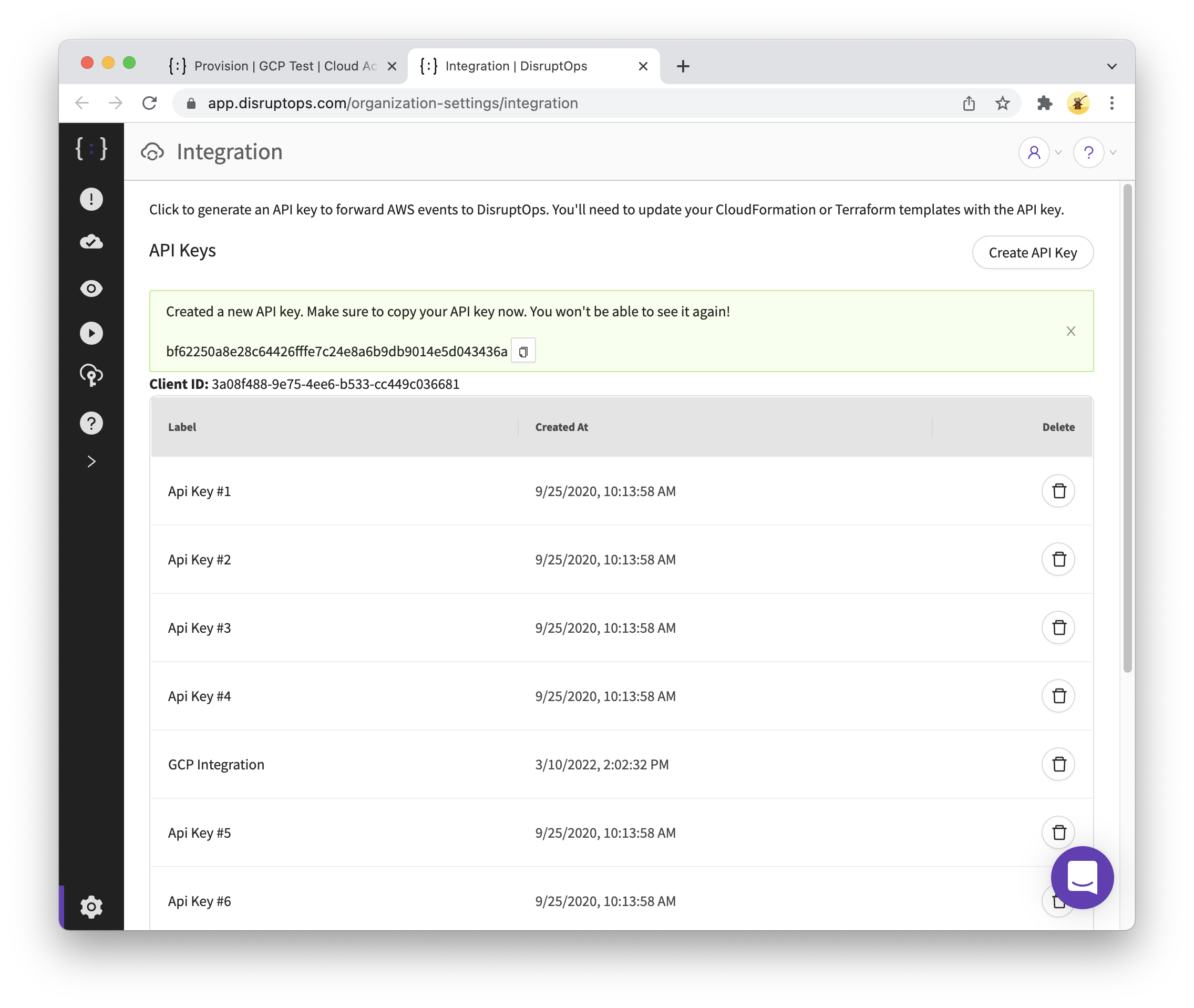
API Keys
API keys let systems outside Cloud Defense send it data. A key is shown once, when you create it, so copy it straight away; you can't view it again later.
- Click the Admin settings (gear), then Integration.
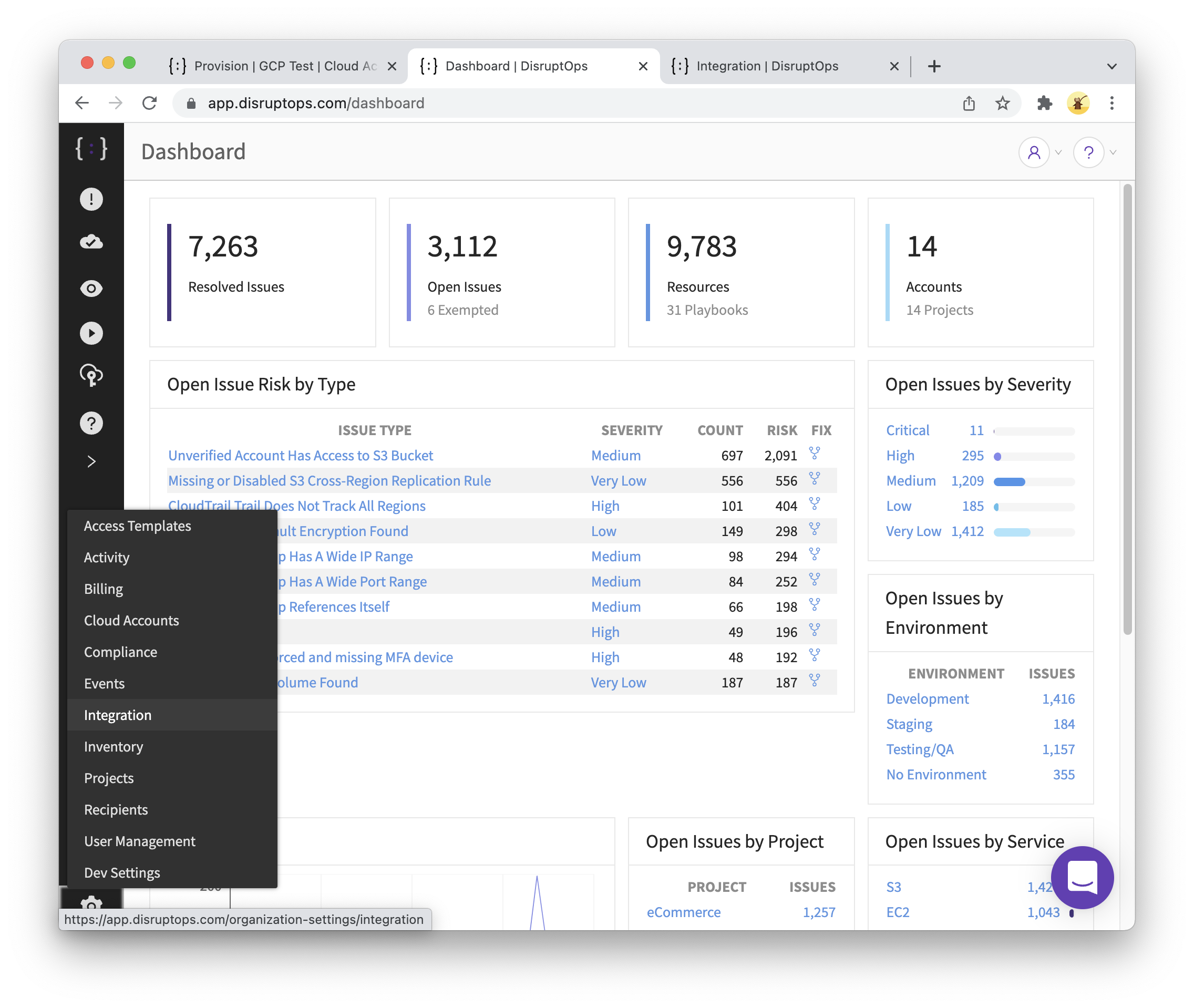
- Click
Create API Key.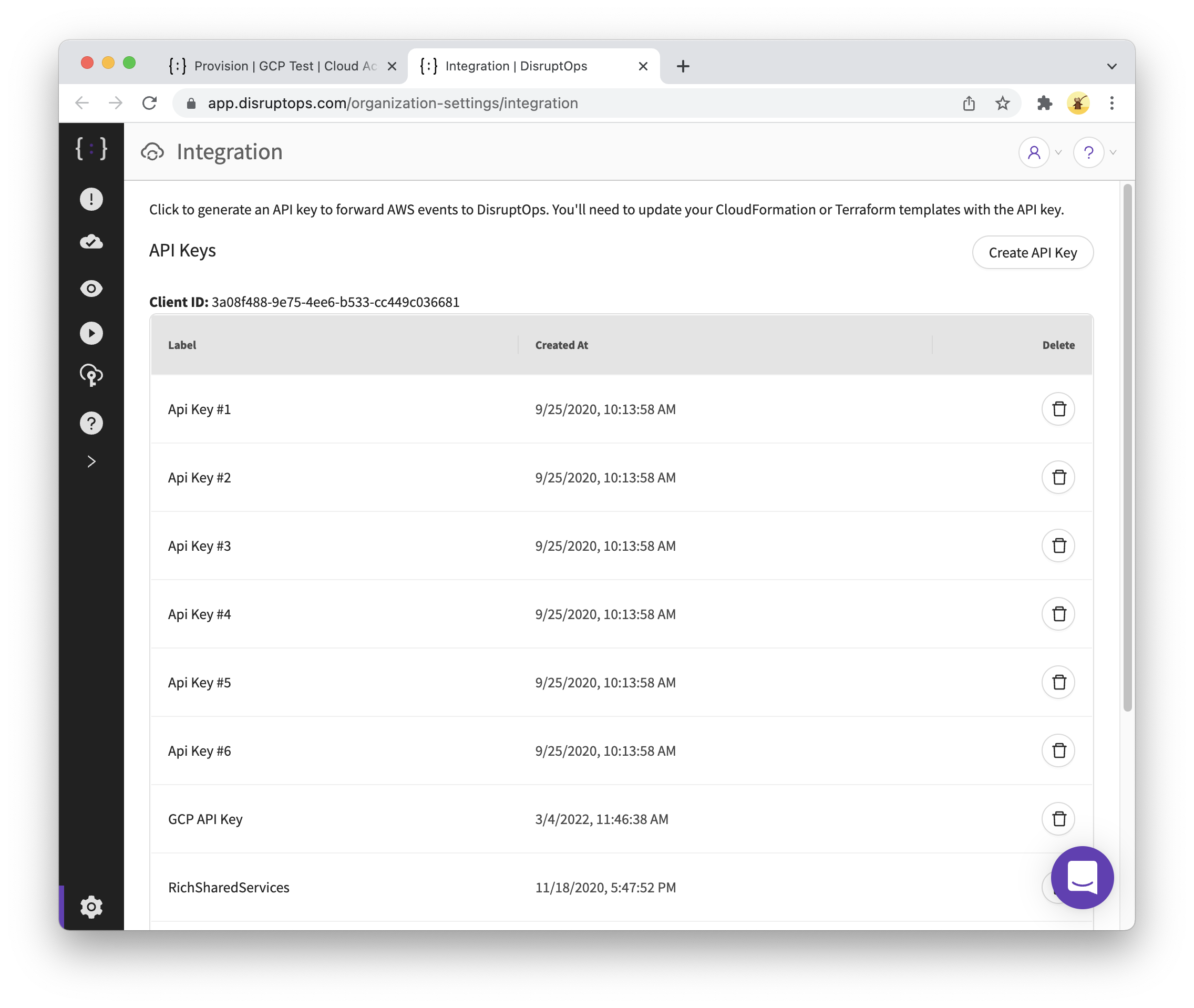
- Enter a label that says what the key is for.
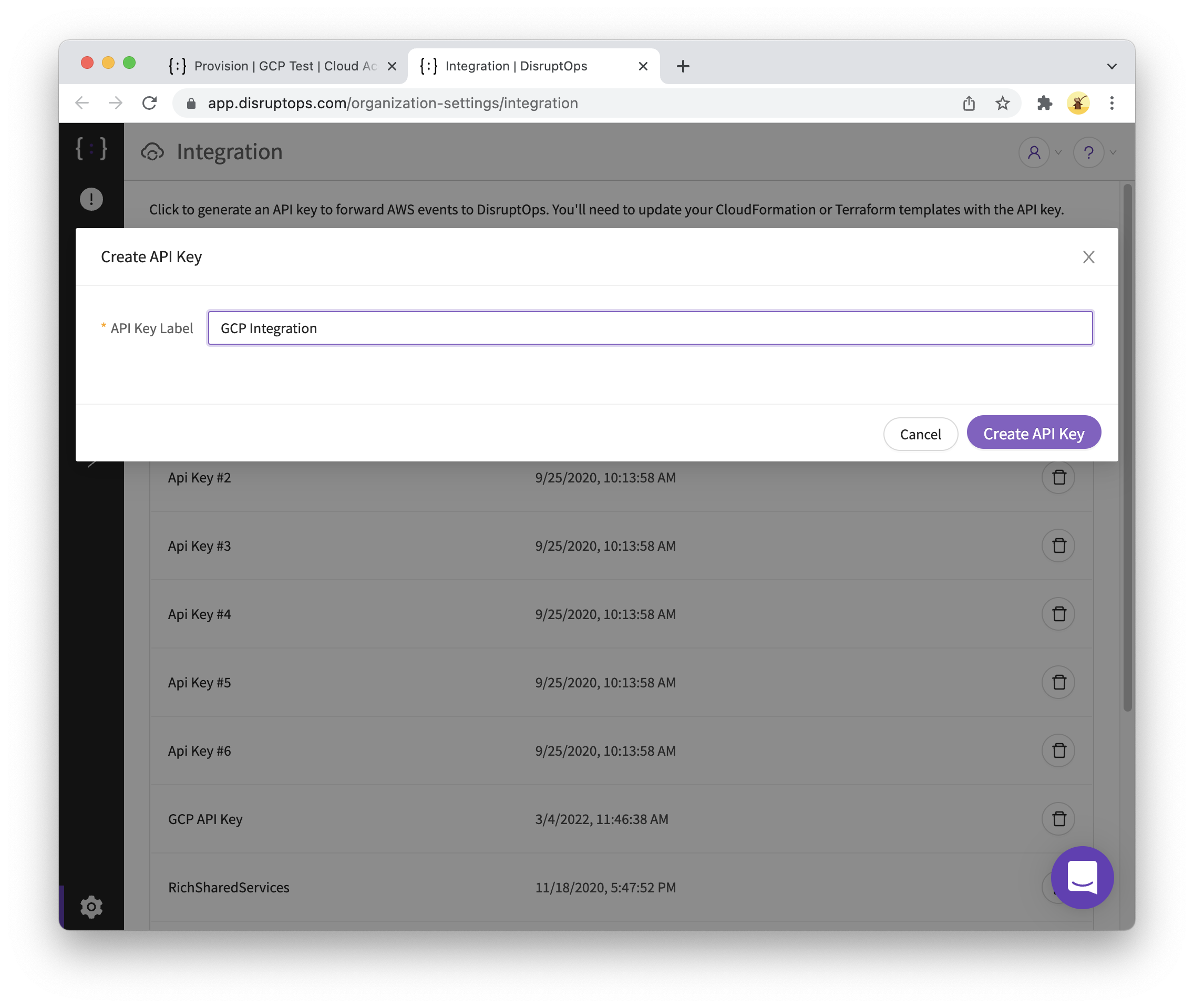
- Click
Create API Key. - Click the button to copy the new API key.